OpenSpec Tutorial: One Real Change, From Install to Archive
OpenSpec 1.14 from a practitioner: what the OPSX rewrite changed, install and init, the right command spelling for every agent, and one real change run from propose to archive.
OpenSpec does not make your agent smarter. It moves the argument about what to build into a file, before there is code to argue about.
OpenSpec is an open-source spec layer for AI coding agents, made by Fission AI under the MIT license. You install a small Node CLI, run openspec init, and your agent (Claude Code, Codex, Cursor, GitHub Copilot, OpenCode and more than forty others) gets slash commands that turn a request into a change folder: a proposal, a delta of the requirements, a design, and a task list. You read the plan, the agent builds it, and archiving merges the delta into specs that describe how your system works today.
I run spec-driven development every day, with my own gated kits: claude-sdd-kit in Claude Code and pi-sdd-kit on Pi. Not with OpenSpec. So for this guide I did the part most tutorials skip: I installed OpenSpec 1.14.1 and ran one real change through it with Claude Code, on a small ledger repo. Propose, a review that changed the plan, apply, archive, and an explore session afterwards. Every file, timing and quote below comes from that run.
If you are choosing between tools rather than learning this one, I put OpenSpec next to Spec Kit, Superpowers and pi-sdd-kit in SDD tools compared.
Free book · 169 pages · PDF + EPUB
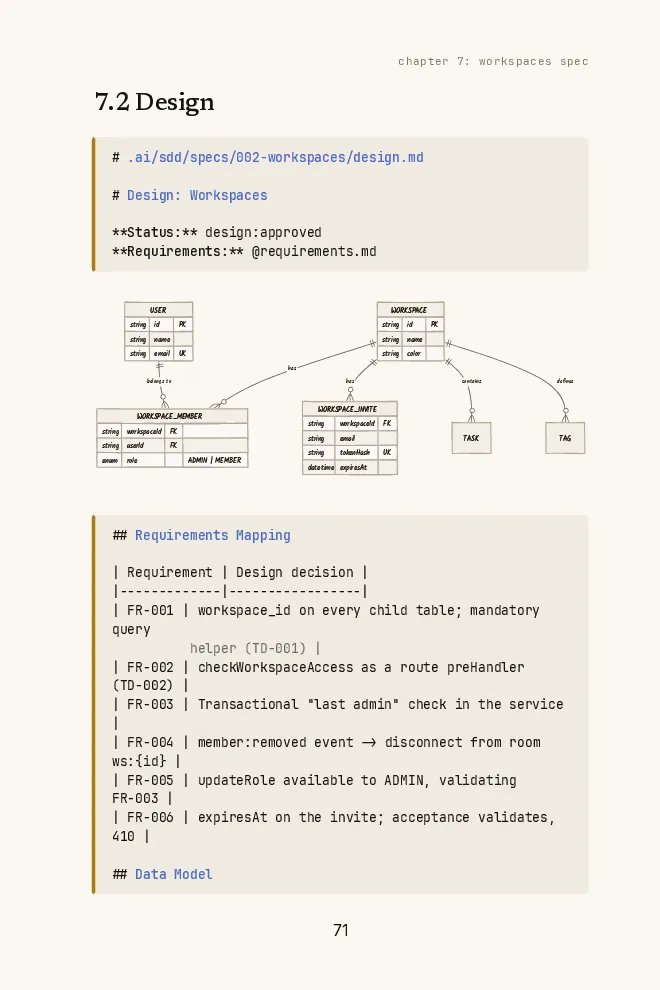
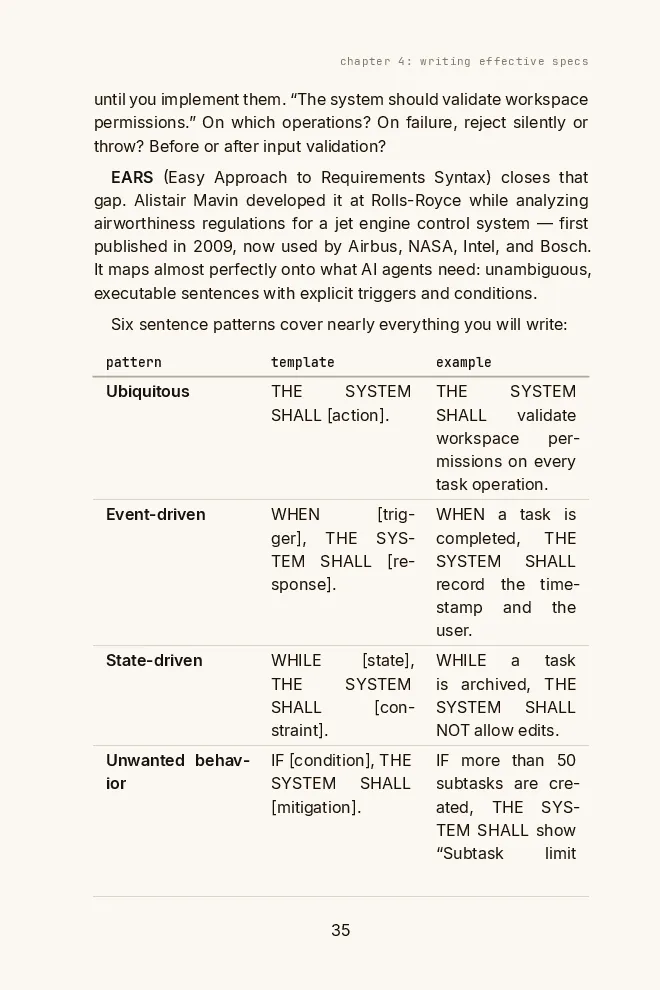
OpenSpec gives you the folders, not what to write in them. The book has EARS specs from one real project, and templates to copy.
Get the free bookTwo folders and a delta: the whole mental model
OpenSpec keeps two folders. openspec/specs/ describes how your system behaves today, one folder per capability. openspec/changes/<name>/ holds one proposed change: why, what changes in the requirements, how, and the steps.
The trick is the delta. Inside a change you do not rewrite the spec. You write only what moves, under ADDED, MODIFIED, REMOVED or RENAMED requirements. When you archive, the delta is applied to the main spec and the change folder moves to changes/archive/ with a date in front. Specs never get written up front. They accumulate, one archived change at a time.
Picture the main spec as the official map of a city, and a change as a sheet of tracing paper laid over it, with only the block you are rebuilding drawn in red. Archiving inks the red into the map and files the tracing paper in a dated drawer. The analogy hides one detail that matters later: inside /opsx:archive, the agent does the inking, by hand, following the skill’s instructions. Only openspec archive, run in the terminal, merges the delta in code.
This is my test repo right after the first /opsx:propose:
The ledger repo after one /opsx:propose
- openspec/
- config.yaml// schema: spec-driven, plus your context and rules
- specs/// empty until the first archive
- changes/
- add-idempotent-transfers/change
- .openspec.yaml// schema and creation date
- proposal.md// why, what changes, impact
- specs/ledger-transfers/spec.md// the delta: five ADDED requirements
- design.md// decisions, and the alternatives it rejected
- tasks.md// checkbox tasks, most with their own tests
- archive/// finished changes, dated
- .claude/
- skills/// six openspec-* skills
- commands/opsx/// propose, explore, apply, update, sync, archive
After I archived that change, specs/ held one capability, ledger-transfers, with five requirements. Nothing else. That is the right amount. The spec covers what I touched, and the next change will add what it touches.
Half the OpenSpec tutorials teach commands that no longer exist
OpenSpec’s first versions, in September 2025, ran on three commands: /openspec:proposal, /openspec:apply and /openspec:archive. Many of the tutorials that still rank were written then. On January 26, 2026, version 1.0 deleted all three.
The rewrite is called OPSX. The old commands pushed one change through fixed phases. OPSX gives the agent actions instead, and the CLI tracks which artifacts exist and which one is ready next. The project files changed too: OpenSpec stopped generating instruction files like openspec/project.md, AGENTS.md and CLAUDE.md. Your agent gets skills now, and your project context moved to openspec/config.yaml.
How OpenSpec got to 1.14
- 0.1.0
First npm release. The early line ran three phase-locked commands and kept project context in openspec/project.md.
- 1.0: the OPSX release
Old commands removed. Skills replace the scattered prompt files, and the CLI assembles each instruction from config, rules and templates.
- 1.2: /opsx:propose and profiles
One command drafts the whole plan. The core profile becomes the default install.
- 1.5: Stores, in beta
Specs and changes in a planning repo of their own, for work that spans repos.
- 1.6: /opsx:update
Revise a change's plan after you started it, instead of hand-editing four files.
- 1.7: Codex goes skills-only
Codex invokes $openspec-propose. Changes can declare skip_specs for work with no behavior change.
- 1.14: more agents, archive browsing
Warp, Grok Build and DeepSeek Harness among the new targets. list --archived shows finished changes. 1.14.1 followed on October 5.
If a guide tells you to do something on the left, do the thing on the right.
Old OpenSpec advice vs. OpenSpec 1.14
| Old guides say | Do this on 1.14 |
|---|---|
| /openspec:proposal, :apply, :archive | /opsx:propose, /opsx:apply, /opsx:archive |
| Describe your project in openspec/project.md | Put constraints under context: in openspec/config.yaml |
| /opsx:new, then /opsx:ff | /opsx:propose does both. new and ff are in the expanded profile |
| OpenSpec edits your AGENTS.md or CLAUDE.md | It writes skills and commands, and leaves those files alone |
| /opsx:propose in Codex | $openspec-propose. Codex reads skills only |
| Install the OpenSpec MCP server | There is none. It is a CLI plus generated files |
Install it, then live in the chat
OpenSpec needs Node 20.19 or newer.
Install OpenSpec and initialize a project
npm
npm install -g @fission-ai/openspec@latestHomebrew
brew install openspecInit, pick your agents
openspec initInit for Claude Code, no prompts
openspec init --tools claudeInit for several agents
openspec init --tools claude,codex,cursor
Here is what openspec init --tools claude wrote in my repo: openspec/config.yaml, empty specs/ and changes/archive/ folders, six skills in .claude/skills/ and six commands in .claude/commands/opsx/. That is 2,620 lines of instructions for the agent. It did not touch a line of my code, and it did not touch CLAUDE.md.
OpenSpec collects anonymous usage stats by default: command names and version, nothing else, and never in CI. export OPENSPEC_TELEMETRY=0 turns it off.
After setup you split your time between two places, and mixing them up is the most common way people get stuck. The openspec binary runs in your terminal. The /opsx: commands run in your agent’s chat, the same box where you ask it to write code.
Terminal: openspec …
- 01openspec init: set a project up for your agents
- 02openspec update: refresh the generated files after an upgrade or a profile change
- 03openspec list, show, view: see changes and specs
- 04openspec validate --strict: check a change before it ships
- 05openspec config profile: choose which commands get installed
Agent chat: /opsx:…
- 01/opsx:explore: think a change through, write nothing
- 02/opsx:propose: draft the whole plan, then stop
- 03/opsx:update: revise a change you already started
- 04/opsx:apply: build it, task by task
- 05/opsx:archive: merge the delta and file the change away
The same command has five spellings
/opsx:propose is the name in the docs. Your agent may want something else, because each tool loads the file OpenSpec wrote in its own way. A folder named opsx/ gives you the colon. A file named opsx-propose gives you the hyphen. Tools that read only skills take the skill name.
How to type /opsx:propose in each agent
| Agent | You type | Where OpenSpec writes it |
|---|---|---|
| Claude Code | /opsx:propose | .claude/commands/opsx/ |
| Gemini CLI | /opsx:propose | .gemini/commands/opsx/ |
| Cursor | /opsx-propose | .cursor/commands/ |
| GitHub Copilot | /opsx-propose | .github/prompts/ |
| OpenCode | /opsx-propose | .opencode/commands/ |
| Pi | /opsx-propose | .pi/prompts/ |
| Codex | $openspec-propose | .agents/skills/ |
| Amazon Q Developer | @opsx-propose | .amazonq/prompts/ |
| Most skills-only tools (Hermes, Zed) | /openspec-propose | the tool's skills folder |
Skills and commands are two delivery formats for the same workflows, and the default installs both. openspec config profile can switch delivery to skills-only or commands-only. One detail I liked in the generated skills: they are written to handle being picked automatically. If your agent selects an OpenSpec skill on its own in a repo that never ran openspec init, the skill tells it to drop OpenSpec and answer normally instead of creating folders behind your back.
One real change, start to finish
The test repo is an in-memory ledger: transfer(from, to, cents), integer cents, two tests. The request is the bug I care most about from building a 13-app crypto fintech: a retry must never move money twice. I asked for idempotency keys. A retry with the same key and the same payload returns the original result. The same key with a different payload is rejected.
One change through OpenSpec with Claude Code
Input
A 24-line ledger and one request: a retry must never move money twice
- 01/opsx:propose (1 min 14 s)
Created the change folder with all four artifacts, ran openspec validate --strict, and stopped. No code touched. It ended with the four choices I had not specified, for me to check.
- 02Review (me)
I read the proposal and the delta. The plan was good. One decision was wrong for money: the key was optional.
- 03/opsx:update (32 s)
Proposed edits to all four files, then waited for me to answer apply all before writing anything. It added a task to fix the old tests first, so the suite stays green.
- 04/opsx:apply (1 min 18 s)
Worked through seven tasks in order, most of them landing their own tests, and checked them off in tasks.md. Ten tests pass.
- 05/opsx:archive (19 s)
Asked whether to sync the delta into the main specs first. I said yes. It created specs/ledger-transfers/spec.md and moved the change to changes/archive/2026-10-13-add-idempotent-transfers/.
Output
A spec of how transfers behave today, a dated record of why, and a diff that matches both
What the run produced
- 136
- lines of planproposal, delta, design, tasks
- 84
- lines added17 in the ledger, 67 in tests
- 10/10
- tests passingtwo old, eight new
- 203 s
- agent timefour timed commands; two confirmation turns not counted
The delta is the part worth reading slowly. This is one of its five requirements, as it landed in the main spec after archive:
### Requirement: Reusing a key with a different payload is rejected

When a transfer is made with a key that a previous successful transfer used,
and the source, destination, or amount differs from that transfer's, the
system SHALL throw an error identifying the key conflict and SHALL NOT change
any balance.

#### Scenario: Same key, different amount

- **WHEN** a transfer of 2500 cents from `alice` to `bob` with key `k1` has
  succeeded, and a transfer of 3000 cents from `alice` to `bob` with key `k1`
  is made
- **THEN** the call throws an error matching `idempotency key reused` and
  `alice` still has 7500 cents and `bob` still has 2500 cents
Every requirement is a SHALL statement with a scenario a test can check line by line. OpenSpec’s own guide asks for one SHALL per requirement, and the agent packed four into the first one, which is worth a review comment. It also wrote the scenario I would have had to remember myself: a retry must succeed even when a fresh transfer would now fail for lack of funds. That only works if the key lookup runs before the balance check, and the design said so in one sentence.
The plan was good. It was wrong in the one place that mattered.
The agent made the key optional. Its design gave a reason: requiring it “breaks every existing caller for no gain in a demo ledger.” Fair, for a demo. But the agent had quietly decided this code would stay a demo, and that is exactly the kind of guess a plan exposes. The day this ledger moves real money, an optional idempotency key means the one caller who forgets it can charge twice, and nothing complains.
I wrote one sentence back: the key is required, and a transfer without one throws. /opsx:update carried that sentence through all four files, 21 lines in and 19 out, including a new task to fix the old tests first. In code, the same correction is a breaking change to a payment API, shipped after everyone already called it the old way. That is the whole trade OpenSpec offers: the disagreement happens in a 29-line proposal instead of a pull request.
Read the list of choices at the end of every propose before you read anything else. In my run it named four: the optional key, failed transfers not consuming their key, a replay returning the original result even after the balance changed, keys that never expire. That list is the agent telling you where it guessed. BMAD handles the same moment the other way: on this exact request and repo, its agent stopped and asked whether the key was required before writing any code. That run is in my BMAD Method guide.
Then make the guess unlikely next time. I went back to the freshly initialized repo, added two lines to openspec/config.yaml (one of them: “Every operation that moves money takes an idempotency key. No exceptions.”), and ran the same /opsx:propose again. The key came back required, and the agent cited the project config as the reason. One run is not proof, and context: is still text in a prompt, but now the guess has to argue against a written rule. A rule you catch twice in review belongs in context:.
The CLI is the state machine. The agent is the typist.
Read the generated skills and the design becomes clear. The agent never decides on its own what comes next. It asks the CLI. openspec new change scaffolds the folder. openspec status --change <name> --json reports which artifacts exist, which one is ready and which are blocked. openspec instructions <artifact> --change <name> --json hands back everything the agent needs to write one file:
What openspec instructions hands the agent for each artifact
- 1
Context
The context: field of openspec/config.yaml, up to 50 KB. It goes into every planning request.
context: | Every operation that moves money takes an idempotency key.
- 2
Rules
Per-artifact rules from the same file, applied to that artifact only.
rules: { proposal: [State what is out of scope] } - 3
Template and instruction
From the schema, spec-driven by default: the structure of the file and how to fill it. The agent is told never to copy context or rules into the artifact.
- 4
Dependencies
The artifacts already written that this one builds on. The agent is told to re-read them from disk, even if it saw them a minute ago. That is why the design reads the proposal, the tasks read the specs and the design, and the four files agree with each other.
So the workflow lives in a CLI you can version, script and run in CI, and the agent does the writing. That is why OpenSpec works across more than forty agents without forty implementations.
It also explains the line in the generated propose skill that matters most to me: status “is file-existence only.” I took that literally and created a change with four empty files. openspec status answered 4/4 artifacts complete. The files exist, so the plan is complete. Nobody read them, because there was nothing to read.
The gate lives in the prompt, not on disk
OpenSpec stops in the right places. In my run, propose ended its own turn after the plan, because the skill says the request “authorizes planning only.” Update showed me its edits and waited. Archive asked before it touched the main specs. In an interactive session with a human typing, those stops work.
They are still instructions to a model. Nothing in openspec/ records that a human approved the plan, and the empty-files test shows what the progress check is worth. The one thing that caught those empty files was openspec validate --strict, which parses the delta and failed. That is the difference worth learning: some guarantees are held by code, some by a prompt, and some by nobody.
Who holds each guarantee in an OpenSpec workflow
| Held by | What | Holds when |
|---|---|---|
| Code | validate --strict: a delta that parses, requirements under 500 characters since 1.14.1. openspec archive in the terminal: merges in code and refuses a delta it cannot read | Every time you run it. Put validate in CI |
| The prompt | Propose stops after the plan. Update and archive show the edit and wait. context: steers every proposal | The model follows its instructions and a human is reading |
| Nobody | That someone read the plan. That apply waits for them. That the specs still match the code after hand edits: /opsx:verify reports gaps, it never blocks | Only if you build it |
That is a design choice, not a bug. If you want the gate held by code, put the approval on disk, where a check can read it: a status file per change that a CI job or a hook refuses to pass without. Not inside .openspec.yaml: OpenSpec ignores keys it does not know there, and validate --strict flags them.
That gap is what I built my kits around. In Claude Code, claude-sdd-kit records approval as a token in a .status file, and its implementer agent stops when it does not read tasks:approved. That stop is still an instruction. The difference is that the approval becomes a fact on disk, one line a hook or a CI job can enforce, instead of an impression in a chat. pi-sdd-kit does the same on Pi. The comparison page explains how to stack OpenSpec with other tools without losing it.
Free book
OpenSpec's stops are instructions; an agent in a loop walks past them. The book adds a human approval between phases, with a Claude Code kit ready to install.
Explore first. It really writes nothing.
/opsx:explore is a thinking partner. It reads your code and your specs, lays out options and writes nothing unless you ask it to. I checked: after a 45-second session about adding reversals to the ledger, git status was clean.
The answer was the best output of the whole run. Explore read the archived change and found a coupling I had not seen. The design listed key expiry as out of scope. Explore noticed that if reversals find a transfer by its key, the key store quietly becomes the transaction log, and expiring keys would delete that history: the transfer could never be reversed. It ended with one question that decides the rest: full reversals only, or partial refunds too?
That is the archive doing its job. The next session started from the decision instead of from zero, which is the thing a chat history can never give you. Explore when the change is fuzzy. Go straight to propose when it is not.
Core gives you six commands. Turn on verify.
A profile decides which slash commands openspec init installs. The default, core, has six. The expanded set adds six more for finer control.
OpenSpec slash commands in 1.14
| Command | Profile | What it does |
|---|---|---|
| /opsx:explore | core | Thinks a change through with you. Reads code, writes nothing |
| /opsx:propose | core | Creates the change and drafts every planning artifact, then stops |
| /opsx:apply | core | Works through tasks.md in order and checks tasks off |
| /opsx:update | core | Revises a change's artifacts, shows the edits, waits for your OK |
| /opsx:sync | core | Merges a change's delta into the main specs without archiving |
| /opsx:archive | core | Offers to sync, then moves the change to changes/archive/ |
| /opsx:new | expanded | Scaffolds an empty change |
| /opsx:continue | expanded | Writes the next ready artifact, one at a time |
| /opsx:ff | expanded | Writes every planning artifact at once |
| /opsx:verify | expanded | Checks the code against the change: completeness, correctness, coherence |
| /opsx:bulk-archive | expanded | Archives several finished changes, with conflict detection |
| /opsx:onboard | expanded | Walks you through a first change on your own codebase |
Core is missing the one step I would not skip: /opsx:verify, the review after the code. It reads the change, searches the code for evidence of each requirement and reports what does not match, sorted as critical, warning or suggestion. It never blocks the archive. It just makes the gap visible, which is most of the fight.
Turn on the expanded commands
Choose the workflows
openspec config profileApply them to this project
openspec update
The CLI has its own short list worth knowing:
OpenSpec CLI commands you will actually run
| Command | What it is for |
|---|---|
| openspec init --tools <ids> | Set up a project for one or more agents |
| openspec update | Refresh generated files after upgrading or changing profile |
| openspec list | Active changes with task progress. --specs and --archived too |
| openspec show <change> | Print a change or a spec |
| openspec status --change <name> | Which artifacts exist and what comes next |
| openspec validate <change> --strict | Check the delta format. Put it in CI |
| openspec view | Interactive dashboard of changes and specs |
| openspec archive <change> | Archive from the terminal instead of the chat |
| openspec schema fork spec-driven <name> | Start a custom workflow for your team |
config.yaml is where you stop repeating yourself
openspec/config.yaml replaced project.md, and it does one job: constraints the agent cannot infer by reading your code. The generated file says it in its own comments. Your stack and folder layout are discoverable, so leave them out. Your rules about money are not.
schema: spec-driven

context: |
  Money is integer cents. No floats in any money path.
  Every operation that moves money takes an idempotency key. No exceptions.

rules:
  proposal:
    - State what is out of scope
  specs:
    - Every requirement gets a scenario for its failure path
  tasks:
    - Each task lands its own tests
The context: block went into my second propose and changed its decision. The rules: block works per artifact, so a rule for tasks never clutters the proposal. To write specs in another language, run openspec init --language <language> on a new project, or add the instruction to context:.
On an existing codebase, let the specs grow from the work
OpenSpec was built for brownfield first, and it shows. You do not document an 80,000-line app before your first change. You propose the change you were going to make this week, and the delta documents the slice it touches. My ledger went from no specs to one capability with five requirements, born from a change I needed anyway.
Resist back-filling. Specs written for code nobody is changing go stale, because nothing forces them to track reality. If you already have a PRD, paste the relevant section into explore and let it become a delta. One openspec/ at the root covers a monorepo. Work that genuinely spans repos is what Stores are for, still in beta.
The honest cost: more plan than diff
I weigh every spec tool on a scale with two pans. On one, the lines a reviewer has to read. On the other, what the mistake they can catch would cost. My run put 136 lines of plan against 84 lines of diff, and 67 of those 84 are tests: the production code moved 17 lines. On line count alone, this change was over-specified.
The other pan decided it. The review caught an optional idempotency key on a money path, and that mistake costs more than any amount of Markdown. OpenSpec pays when a wrong decision is expensive, and costs you when it is not.
Reach for OpenSpec when
- 01A wrong decision costs more than reading a plan: money, auth, data you cannot recover
- 02The change spans more than one session, so the plan has to outlive the chat
- 03Someone else reviews or inherits the work
- 04You want the reason behind a behavior to still be in the repo in six months
Skip it when
- 01A typo, a version bump, a one-line timeout
- 02A refactor with no behavior change. Or declare skip_specs: true on the change
- 03You are spiking to learn, not to keep
- 04The plan would run longer than the diff and nothing in it is risky
That complaint is real. In the Hacker News thread on OpenSpec’s new site in September, developers whose companies adopted it described exactly that: every change, medium or larger, becomes several documents nobody wrote by hand, each one needing review. Others said the stored specs drift from the code, and that the value is in the change process, not in the archive. The same thread has people calling it the sanest amount of ceremony they have tried. Both camps are right about something. Keep proposals short with a rules: line, review the proposal and the delta rather than all four files, and run /opsx:verify before you archive, so the specs you keep are the ones that shipped.
OpenSpec next to Spec Kit, Superpowers and plan mode
The comparison I get asked about most is in SDD tools compared. The short version:
Where the plan lives, by tool
| Tool | Where the plan lives | Weight per change | Pick it when |
|---|---|---|---|
| OpenSpec | A change folder, merged into specs on archive | Four files, fluid | You want specs that track the system, on any agent |
| Spec Kit | A feature folder under specs/, plus a constitution | Up to nine steps, seven files by default | Every feature must answer to the same principles |
| Superpowers | A design doc and a plan for the feature in flight | A whole methodology: TDD, subagents, review | Your problem is execution, not intent |
| Claude Code plan mode | The session, outside your repo | None | The task fits in one session and nobody reviews the plan |
Plan mode deserves one more line, because nobody answers it well. Plan mode plans a session. OpenSpec plans a change and keeps it in the repo, where the next session reads it, the way my explore session read the archived design. If the decision has to outlive the chat, plan mode is not where it belongs. For the heavier end, I wrote a full Spec Kit guide.
On a team, the spec gets reviewed in the pull request
Commit openspec/. The archive becomes the history of why your system works the way it does, and the change folder rides in the same pull request as the code. Reviewers read the proposal and the delta first. If the intent is wrong, they stop before the diff.
That is the moment a spec stops being one developer’s habit and becomes the team’s contract, which is its own problem with its own failure modes. I wrote about it in spec-driven development for teams. And once every change goes through a reviewed spec, you are one step from AI-DLC’s approval gates, where the review becomes the process.
When the slash command does nothing
Seven checks, in the order that fixes it fastest
- Required:You typed it in the agent's chat, not in the terminal
- Required:You used your agent's spellingCursor and OpenCode want /opsx-propose. Codex wants $openspec-propose. See the table above.
- Required:The files exist for that agentopenspec init sets a new agent up. openspec update only refreshes files that are already there.
- Required:You restarted the agent if it was open during init
- Required:You ran openspec update in each project after upgrading the package
- Optional:The command is in your profileverify, new, ff and onboard only exist in the expanded profile.
- Optional:Node is 20.19 or newerCheck with node --version and openspec --version.
FAQ
What is OpenSpec?
OpenSpec is an open-source spec framework for AI coding agents, published by Fission AI under the MIT license. It adds a thin layer of Markdown files to your repo: specs that describe how your system behaves, and one folder per proposed change with a proposal, a delta of the requirements, a design and tasks.
You install the openspec CLI, run openspec init, and drive it from your agent's chat with commands like /opsx:propose, /opsx:apply and /opsx:archive. It works with Claude Code, Codex, Cursor, GitHub Copilot, OpenCode, Gemini CLI and more than forty other agents.
Is OpenSpec free?
Yes. The CLI is open source under the MIT license, installed from npm or Homebrew. Your agent does the writing with whatever model and plan you already pay for.
Is OpenSpec an MCP server? Does it need an API key?
No to both. OpenSpec is a CLI plus files it generates for your agent: skills and slash commands. The CLI never calls a model. Your agent reads the instructions, writes the artifacts and asks the CLI for state.
How do I install OpenSpec?
You need Node 20.19 or newer. Run npm install -g @fission-ai/openspec@latest, or brew install openspec. Then, inside your project, run openspec init and pick your agents, or openspec init --tools claude to skip the prompts.
To upgrade later, update the package and run openspec update in each project so the generated skills and commands match the new version.
How do I use OpenSpec with Claude Code?
Run openspec init --tools claude. It writes six skills to .claude/skills and six commands to .claude/commands/opsx. In Claude Code, type /opsx:propose followed by what you want, read the plan, then run /opsx:apply and /opsx:archive.
Why doesn't /opsx:propose work in Codex or OpenCode?
Each agent spells the command its own way. Codex reads skills only, so you type $openspec-propose. OpenCode, Cursor, GitHub Copilot and Pi read command files named opsx-propose, so you type /opsx-propose. openspec init prints the right form for the agents you selected.
What is the difference between /opsx:propose and /opsx:new?
/opsx:propose creates the change and drafts every planning artifact in one step. /opsx:new, in the expanded profile, only scaffolds an empty change, and you create artifacts one at a time with /opsx:continue or all at once with /opsx:ff. Use propose unless you want to approve each artifact separately.
Do I need to run /opsx:sync?
Usually not. /opsx:archive offers to sync the change's delta into the main specs before it archives. Run sync on its own only when you want the specs updated before the change is finished, for example on a long-running change.
Should I commit the openspec folder to git?
Yes. The specs, the active changes and the archive are part of your project's history. The archive is the record of why each behavior exists, and a change folder belongs in the same pull request as the code it describes.
How do I uninstall OpenSpec?
There is no uninstall command. Remove the package with npm uninstall -g @fission-ai/openspec, then delete the openspec directory and the generated files for your agents, such as .claude/skills/openspec-* and .claude/commands/opsx, if you no longer want them.
OpenSpec vs Spec Kit: which should I use?
Both keep the spec as the source of truth. OpenSpec is lighter and fluid: four files per change, no fixed phases, built for existing codebases. Spec Kit is heavier and structured: a constitution every feature answers to, up to nine steps, and a converge step that checks the code against the artifacts. Small, frequent changes sit closer to OpenSpec. A team that needs every feature held to the same principles sits closer to Spec Kit.
OpenSpec vs Claude Code plan mode?
Plan mode plans a session. OpenSpec plans a change and keeps it in your repo, where a reviewer can read it in a pull request and the next session can build on it. Use plan mode for a task that fits in one sitting. Use OpenSpec when the decision has to outlive the conversation.
Free book · 169 pages · PDF + EPUB
OpenSpec's folders are ready. To fill them, the book gives you worked EARS examples from a real project and templates for your next change.
Get the free book