GitHub Spec Kit 1.0: A Practitioner's Guide to Spec-Driven Development
GitHub Spec Kit 1.0 from a practitioner: install the specify CLI, run the pipeline through converge, write a constitution that holds, and cut the ceremony with the lean preset.
A spec is not documentation. It is the operating contract between your intent and the agent executing it. GitHub Spec Kit makes that contract the center of your workflow.
GitHub Spec Kit is GitHub’s open-source toolkit that brings spec-driven development into your AI coding agent. You install the specify CLI, run specify init in your project, and your agent gains a pipeline of skills that turns a description of what you want into an implementation checked against that description. It works with GitHub Copilot, Claude Code, Gemini CLI, Cursor, Codex, and about forty other agents.
The short answer for the featured snippet: Spec Kit is an open-source toolkit, published by GitHub under the MIT license, that gives AI coding agents structured processes, templates, and documented outcomes. Its core process is spec-driven development; bug fixing and idea assessment ship as optional extensions. It reached 1.0 in August 2026 and has about 140,000 GitHub stars.
If you are new to the underlying method, start with what spec-driven development is. The tool is downstream of the method. And if you are weighing Spec Kit against the alternatives, I put it head to head in OpenSpec vs. Spec Kit vs. Superpowers, with pi-sdd-kit in the mix. For the lighter option, I ran OpenSpec end to end on a real repo. For the role-based one, I ran BMAD Method in Claude Code and measured what it cost.
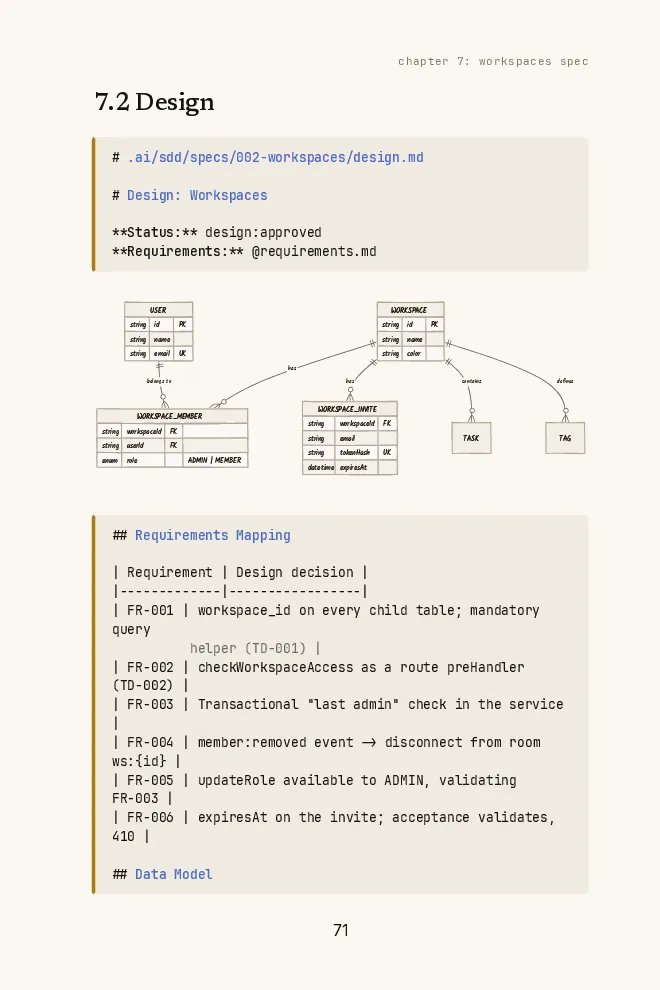
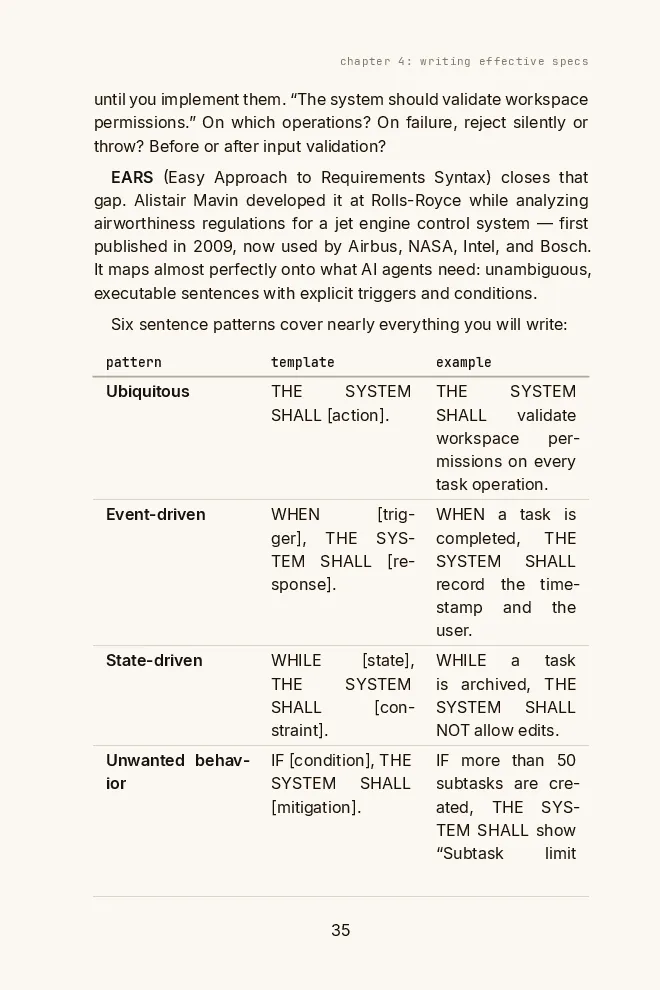
Free book · 169 pages · PDF + EPUB
Spec Kit generates the files; whether the spec is right is still on you. The book shows EARS specs from one real project, with templates to start yours.
Get the free bookWhat changed on the way to 1.0
Most guides to Spec Kit were written at launch, in late 2025. Half of what they tell you is wrong now. The funny part is that 1.0 itself changed almost nothing: its release notes argue that a major version no longer has to signal migration pain, and the changelog is routine fixes. The real shifts landed in the months before it.
How Spec Kit got to 1.0
- v0.11.2: converge ships
A step after implement that checks the code against the spec, the plan, and the tasks, and appends whatever is missing.
- v0.16.0: skills by default
Copilot moves to skills mode. Claude Code was already installing skills into .claude/skills.
- v1.0.0
The major version, with no breaking changes.
- v1.0.3: --require-spec
Analyze and converge refuse to run without a spec.md on disk.
- v1.0.7: three processes
The README now presents spec-driven development, bug fixing, and idea assessment as independent entry points.
- v1.0.9: bundles
First-party bundles package the bug fixing and assessment setups in one install.
- v1.0.13: github extension
taskstoissues starts moving out of core into a bundled github extension.
Four changes matter more than the rest. Branches are opt-in: core Spec Kit no longer touches git, and numbered feature branches come from a git extension you add yourself. Feature folders moved to specs/ at the repo root. The agent context file (CLAUDE.md for Claude Code) is an opt-in extension now, so specify init no longer edits it. And there is an official short path for small work, which answers the loudest complaint about the tool.
The problem Spec Kit solves
AI coding agents are fast. They are also stateless and literal. Describe a goal vaguely, and the agent pattern-matches toward the most common implementation of that description, not toward your specific intent. The result compiles. It is syntactically correct. It just does not do what you meant.
The fix is not a better prompt. It is a structured artifact, written and approved before implementation starts, that gives the agent the clarity it cannot infer from a chat message. That artifact is the spec.
Spec Kit does not change that idea. It operationalizes it. Instead of maintaining discipline manually, you get skills that walk the agent through each phase, templates that force you to write the right things, and a directory structure that keeps artifacts organized across features.
Install and initialize
Spec Kit needs Python 3.11 or later and uv. Git is optional now: you only need it if you turn on the git extension.
Install the specify CLI
From PyPI
uv tool install specify-cliPinned to a release
uv tool install specify-cli --from git+https://github.com/github/spec-kit.git@vX.Y.ZRun once without installing
uvx --from git+https://github.com/github/spec-kit.git specify init my-project
pipx install specify-cli and pip install specify-cli work too. Once it is installed, pick your agent:
Initialize for your agent
Claude Code
specify init my-project --integration claudeGitHub Copilot
specify init my-project --integration copilotGemini CLI
specify init my-project --integration geminiOpenAI Codex
specify init my-project --integration codex
The --integration flag tells specify which agent you use, and it installs the skills or commands in the format that agent expects. For Claude Code that means skills in .claude/skills. Omit the flag in an interactive terminal and specify asks you. In CI or piped runs it defaults to Copilot. specify integration list shows all of them, 42 at the time of writing, and one project can carry more than one.
Two habits worth keeping. Upgrade with specify self upgrade instead of reinstalling. And if you want Spec Kit to maintain a section in your CLAUDE.md or AGENTS.md, add it explicitly with specify extension add agent-context. Without that extension, Spec Kit never touches your agent context file.
Spec Kit's layout after one feature
- .specify/
- memory/
- constitution.md// project principles, read by plan and converge
- scripts/// helpers the skills call to resolve the active feature
- templates/// spec, plan, and tasks templates that constrain what the agent writes
- feature.json// points at the active feature folder, instead of the git branch
- specs/
- 001-feature-name/feature
- spec.md// functional requirements and user stories
- plan.md// technical architecture and choices
- research.md// library and API research gathered during planning
- data-model.md// entities and schemas
- quickstart.md// how to run and check the feature
- contracts/// API contracts for the feature
- tasks.md// ordered tasks with parallel markers, plus convergence phases
- .claude/skills/// the speckit-* skills, when the integration is Claude Code
The templates inside .specify/templates/ are what actually do the work. They instruct the agent to mark ambiguities with [NEEDS CLARIFICATION] instead of guessing, to separate functional requirements from technical decisions, and to produce checklists that act as acceptance gates within each artifact. The discipline is baked into the templates, not into your willpower.
The pipeline, in order
After specify init, your agent has the full pipeline. Only one rule is hard: a spec has to exist before you plan. Everything marked optional is a quality gate you add when the work deserves it.
The Spec Kit pipeline: constitution to converge
Input
A description of what you want to build and why, without a tech stack decision
- 01/speckit-constitution (once per project)
Writes the governing principles to .specify/memory/constitution.md: code quality rules, testing requirements, constraints. Plan checks against it and converge treats a broken MUST as critical.
- 02/speckit-specify (per feature)
Turns your description into spec.md with functional requirements and user stories, in a new folder under specs/. What and why only. No stack decisions here.
- 03/speckit-clarify (optional)
Asks structured questions to surface gaps and contradictions in the spec, and records the answers in a Clarifications section.
- 04/speckit-plan (per feature)
Takes the spec and your stack choices, and produces plan.md plus research.md, data-model.md, quickstart.md, and contracts/. Every technical choice traces back to a requirement.
- 05/speckit-checklist (optional)
Generates quality checklists for the artifacts, which amount to unit tests for English: is the spec unambiguous and complete?
- 06/speckit-tasks (per feature)
Produces tasks.md: ordered, independently testable units, with [P] markers on tasks that can run in parallel.
- 07/speckit-analyze (optional)
Checks consistency across artifacts: does every requirement reach the plan, and every plan decision reach a task?
- 08/speckit-implement (per feature)
Executes the tasks in dependency order, respecting the parallel markers, and reports progress.
- 09/speckit-converge (per feature)
Checks the code against spec, plan, tasks, and constitution, and appends the gaps as new tasks. Loop implement and converge until it reports converged.
Output
An implementation checked against its own spec, with a traceable trail from intent to code
For smaller features, the official quickstart cuts this to five: specify, plan, tasks, implement, converge. The full nine are for production work.
A note on syntax, because every older guide gets it different. The hyphenated names above are skills, the default in Claude Code and Copilot. You will still see the dotted form (/speckit.specify) in the reference docs and older posts. Codex uses $speckit-specify. Same commands, different spelling per agent. /speckit-taskstoissues, which turns tasks.md into GitHub Issues, still works but is moving to the bundled github extension.
Converge: the step that admits the agent says done too early
Every team that used Spec Kit in 2025 hit the same wall. The agent finished implement, reported success, and the code covered most of the spec. Most. Converge, added in June, is Spec Kit admitting that out loud.
After implement, converge reads the spec, the plan, the tasks, and the constitution, then checks the codebase against them. Each gap gets a class: missing, partial, contradicts, or unrequested (code nobody asked for). It never rewrites your spec, your plan, or your existing tasks. It only appends a new convergence phase to tasks.md. Run implement again, then converge again. Each pass finds less. When nothing is left, tasks.md stays byte-for-byte unchanged and converge reports converged.
That is the right design. It does not trust the agent’s own report of what it did. It checks the artifact against the code, which is exactly the review step most people skip on a tired evening.
The gate is still yours
Here is what did not change: there is no approval gate between phases. Since 1.0.3, analyze and converge run with --require-spec, which makes them fail if spec.md is missing. Read that carefully. It checks that the file exists. It does not check that a human read it, or agreed with it.
So the decision to move from tasks to implement is still yours, and nothing in Spec Kit stops an eager agent from moving on a draft. The workflow docs are honest about this: your job at each phase is to reflect and refine, not to approve by omission. If you want the gate enforced, you add it yourself. That is the gap pi-sdd-kit’s .status token closes, and I come back to it below.
Free book
Spec Kit checks that spec.md exists, not that you read it. The book adds the missing approval between phases, with templates and a Claude Code kit.
The constitution is not optional
Every SDD tool needs a stable memory layer: the project-level context that every feature draws from. In Spec Kit that is the constitution.
The constitution lives at .specify/memory/constitution.md and holds the principles that govern all development: which abstractions are non-negotiable, testing requirements, simplicity rules, security policies. You write it once with /speckit-constitution. Plan runs a constitution check against it, and converge treats a broken MUST principle as a critical gap.
Here is the kind I would write for a payments service, trimmed. It follows the shape of Spec Kit’s own template: numbered principles, extra sections, governance, and a version line.
# Ledger Service Constitution

## Core Principles

### I. Money Is Integer (NON-NEGOTIABLE)

All amounts are stored and computed as integer minor units (cents, satoshis).
No floats anywhere in a money path. Rounding happens once, at display.

### II. Every Write Is Idempotent

Every operation that moves money takes an idempotency key. A retry with the
same key returns the original result and never charges twice.

### III. Real Database in Integration Tests

Integration tests run against Postgres, not mocks. A test that passes on a
mock and fails on the real database is a failed test.

### IV. Contract Tests First

Every external API (exchange, custody, payment provider) gets a contract test
that fails before any implementation starts.

### V. Simplicity

No new service, queue, or abstraction without a requirement in spec.md that
needs it. Complexity must be justified in plan.md.

## Security Requirements

Secrets come from the environment, never from the repo. Every endpoint that
moves money requires an authenticated session and writes an audit log entry.

## Governance

This constitution overrides conflicting guidance in any spec or plan.
Amendments need a written rationale and a version bump.

**Version**: 1.0.0 | **Ratified**: 2026-09-30 | **Last Amended**: 2026-09-30Spec Kit’s own repo runs on a constitution with versioned amendments (major, minor, patch) and a sync report when a principle changes. That is a signal about how seriously the project treats architectural consistency. Write the constitution on day one and keep it alive.
The three use cases from GitHub
GitHub’s own framing describes three situations where Spec Kit earns its setup cost.
Greenfield development, which the announcement calls zero-to-one, is the most obvious case. You have an idea, not a codebase. Spec Kit’s workflow forces you to define what success looks like before the agent writes anything, which eliminates the most common failure mode: the agent builds a technically correct thing that does not match what you imagined.
Feature work in existing systems, the brownfield case, is where the tool is most practically useful day to day. Adding to a real codebase requires capturing how the new feature interacts with what is already there. The spec encodes those interaction constraints. The plan encodes architectural decisions that respect the existing system. The result is new code that feels native instead of bolted on. Spec Kit now ships a dedicated guide for adopting it on an existing project, and you still need to give the agent enough context about the codebase you already have.
Legacy modernization is the hardest case and the most interesting. When the original intent of a system has been lost to time and undocumented code, Spec Kit gives you a process to capture the essential business logic in a modern spec before rebuilding. You are not just migrating code. You are reconstructing intent, which is the harder problem.
Böckeler’s critique, a year later
Birgitta Böckeler at Thoughtworks published the best independent evaluation of Spec Kit in October 2025, on martinfowler.com. It was right, and Spec Kit clearly read it: its own docs on spec persistence cite her article by name. Here is where each point stands on 1.0.
Böckeler's four critiques vs. Spec Kit 1.0
| Critique (Oct 2025) | What changed | Verdict |
|---|---|---|
| One workflow for every size | Official short path, the lean preset, and a separate bug extension | Mostly fixed |
| Too much markdown to review | The lean preset cuts each phase to one focused file. Default templates are still verbose. | Partly fixed |
| Agents skip instructions | Converge checks the code against the artifacts and appends what is missing | Caught after, not prevented |
| Spec-first, not spec-anchored | Branches are opt-in, and the docs name three ways to keep a spec alive | Documented, not enforced |
One workflow for all sizes. Her sharpest example was a small bug fix that came out with user stories and sixteen acceptance criteria, including “as a developer, I want the transformation function to handle edge cases gracefully.” A sledgehammer to crack a nut. Spec Kit’s answer is three exits. The quickstart’s short path drops the optional gates. The lean preset (specify preset add lean, bundled, no download) replaces the core templates with self-contained prompts that produce one focused file per phase. And bugs get their own extension (specify extension add bug) with three steps, assess, fix, and test, and no SDD feature workflow at all.
Volume of markdown to review. Each feature still produces spec, plan, research, data model, quickstart, contracts, and tasks by default. Her point stands: if reviewing the artifacts takes as long as writing the feature by hand, the economics do not work. Lean is the fix, and you have to choose it.
Agents do not always follow all instructions. More context in the window is not the same as better compliance. She watched the agent treat research notes about existing classes as new specifications and regenerate them as duplicates. Converge does not stop that from happening. It catches the drift afterwards and turns it into tasks, which is the honest version of a fix.
Spec-first versus spec-anchored. Her question was whether a spec lives for one change request or for the life of a feature. Spec Kit now answers it in writing. Its docs name three models: Flow-Back (edit any artifact and reconcile by hand), Flow-Forward (a new spec folder per change, the old ones stay as history), and Living Spec (edit spec.md as the contract and regenerate plan and tasks from it). None is the default, and the tool enforces none. Your team picks one and sticks to it.
So use it for features of meaningful size, on greenfield or well-understood brownfield code. For exploratory work and small tasks, use the short path, lean, or the bug extension, or skip Spec Kit entirely.
Spec Kit vs Kiro vs Claude Code with pi-sdd-kit
Three SDD setups get compared most often. They are not the same tool with different names.
Spec Kit vs Kiro vs Claude Code with pi-sdd-kit
| Feature | Spec Kit | Kiro | Claude Code + pi-sdd-kit |
|---|---|---|---|
| Core workflow | Skill pipeline through converge, any agent | Requirements, design, tasks, in Kiro's own tools | 5-phase slash commands in Claude Code |
| Stable memory layer | constitution.md | steering/ (product, tech, structure) | steering/ with 4 context files |
| Machine-readable approval gate | None: --require-spec checks the file exists | None: human decides when to advance | .status file with explicit token |
| Agent support | 40+ integrations via specify init | Kiro IDE, CLI, and web | Claude Code primary |
| Per-feature artifacts | 7 by default; one file per phase with the lean preset | 3 files: requirements, design, tasks | Per-feature folder with .status gate |
| Customization | Extensions, presets, workflows, bundles | Steering documents and hooks | Plain markdown, any structure |
| Cost | Free, MIT license | Free tier, paid plans from $20/month | Free, open source npm package |
Here is the honest take from someone who uses Claude Code and pi-sdd-kit as a daily workflow.
Spec Kit is the better choice when you work across multiple agents, want a community-maintained open-source standard with a real ecosystem around it, or work in teams where different developers use different tools. The constitution-based approach is genuinely good for encoding organizational constraints, and converge is the best answer any of these tools has to the agent that calls its own work done.
Spec Kit is less suited when you want a machine-readable gate that stops the agent from advancing without explicit approval. The .status token in pi-sdd-kit is not ceremony: it removes the ambiguity between “I wrote the spec” and “I approved the spec.” A completed tasks.md and an approved tasks.md look identical to an agent scanning the directory. Spec Kit’s --require-spec sees the same thing: a file that exists. The approval stays in your head.
For Kiro, the comparison is different. See what Kiro is for the full picture. The short version: Kiro’s spec workflow lives inside Kiro’s own IDE, CLI, and web app, while Spec Kit plugs into the agent you already use. Kiro’s three files (requirements, design, tasks) are also lighter than Spec Kit’s default seven, which is the gap the lean preset closes.
When this work deserves Spec Kit
Does this work benefit from Spec Kit?
| Criterion (weight) | One-off script | Small bug fix | Multi-session feature | Greenfield project |
|---|---|---|---|---|
| Outlives one sitting (3) | 1 | 1 | 4 | 5 |
| Spans multiple sessions or team members (3) | 1 | 2 | 4 | 5 |
| Requires architectural decisions (2) | 1 | 1 | 4 | 5 |
| Benefits from a living spec document (2) | 1 | 1 | 3 | 5 |
| Weighted score | 10 | 13 | 38 | 50 |
Scale 1-5 (5 = best). Highlighted column: winner by weighted score.
The full pipeline has real overhead, and that overhead is not proportional for small work. The tool’s own documentation now says as much, with the short path and the bug process as separate entry points. Do not run nine steps for a bug fix.
Use the pipeline for features where the cost of building the wrong thing is higher than the cost of the spec. Use it for greenfield projects where you want architectural consistency from the start, carried across every feature. Use it for teams that want shared spec artifacts in version control as the source of truth across developers.
Extensions, presets, workflows, bundles
Customization is where 1.0 grew the most. There are four mechanisms now.
Extensions add capabilities: new commands, new phases, integrations with tools like Jira or GitHub. Several ship bundled with the CLI and only need specify extension add: git (feature branches), agent-context (your CLAUDE.md or AGENTS.md section), bug, assess, and github. Presets change how existing commands behave, by overriding their templates. Lean is the bundled one worth knowing. Workflows automate multi-step processes in YAML, with loops, fan-out, and pause and resume. Bundles package a curated set of extensions, presets, and workflows for a role, like a product manager or a security researcher, installed in one go.
The community catalogs live inside the Spec Kit repo itself, with more than 130 community extensions from over 70 authors, searchable with specify extension search and specify preset search. The resolution order is documented and stable: project-local overrides win over presets, presets win over extensions, extensions win over the core templates.
The method is the point, not the tool
Spec Kit is an implementation of spec-driven development. The method exists independently of any tool. You can run SDD with plain markdown files, no CLI, no skills, and still get the benefit. The method is: write and approve a spec before implementation starts, keep the spec as the source of truth, and use clear gates to prevent the agent from racing ahead.
What Spec Kit gives you on top of that is consistency, a community, and the largest ecosystem in the space. The constitution template is well-designed. The separation of functional spec from technical plan is clear and enforced by the templates. Converge closes the loop most people leave open. And the integrations handle the format differences across forty-plus agents.
If you use Claude Code, the approach I built during a 13-app crypto fintech build in 70 days solo is in Spec-Driven Development with Claude Code. The pi-sdd-kit approach adds the .status gate and the three-layer context system (CLAUDE.md, steering, specs) that give the agent durable memory and an explicit, machine-readable approval signal. These approaches solve adjacent parts of the same problem. You can take ideas from both.
FAQ
What is GitHub Spec Kit?
GitHub Spec Kit is an open-source toolkit published by GitHub under the MIT license. It gives AI coding agents structured processes, templates, and documented outcomes. You install the specify CLI, run specify init, and your agent gets a pipeline of skills for spec-driven development: constitution, specify, clarify, plan, checklist, tasks, analyze, implement, and converge.
Since 1.0 it also offers bug fixing and idea assessment as optional extensions. It works with more than 40 agents, including Claude Code, GitHub Copilot, Gemini CLI, Cursor, and Codex.
What's new in Spec Kit 1.0?
Less than the version number suggests. 1.0.0 shipped in August 2026 with no breaking changes; the big shifts landed in the releases before it. The ones that matter: the converge step, skills as the default invocation, feature folders at specs/ in the repo root, git branches moved to an opt-in extension, the agent context file moved to an opt-in extension, and bundled extensions for bug fixing and idea assessment.
After 1.0: --require-spec for analyze and converge, bundles that package a role's setup in one install, and a github extension taking over taskstoissues.
What does /speckit-converge do?
It runs after implement and checks the codebase against the spec, plan, tasks, and constitution. Each gap is classified as missing, partial, contradicts, or unrequested, and appended to tasks.md as a new convergence phase. It never rewrites your existing artifacts.
You loop implement and converge until it reports converged, at which point tasks.md stays unchanged. It catches what the agent left out after the fact. It does not stop the agent from leaving it out.
Is there a lighter way to use Spec Kit for small changes?
Yes, three. The official short path runs only specify, plan, tasks, implement, and converge. The bundled lean preset (specify preset add lean) replaces the core templates with self-contained prompts that produce one focused file per phase. And bugs have their own extension (specify extension add bug) with assess, fix, and test, and no SDD feature workflow.
Is Spec Kit free?
Yes. Spec Kit is published under the MIT license. There is no paid tier, subscription, or usage gate. The specify CLI installs from PyPI with uv, pipx, or pip.
How do I install Spec Kit?
Install uv (https://docs.astral.sh/uv/), then run: uv tool install specify-cli. To pin a release, use uv tool install specify-cli --from git+https://github.com/github/spec-kit.git@vX.Y.Z. Then initialize your project with specify init my-project --integration claude for Claude Code, or --integration copilot for GitHub Copilot.
For a one-shot tryout without installing: uvx --from git+https://github.com/github/spec-kit.git specify init my-project. To upgrade later: specify self upgrade.
Does Spec Kit work with Claude Code, Cursor, and Copilot?
Yes. Spec Kit lists 42 integrations, including Claude Code, GitHub Copilot, Gemini CLI, Cursor, OpenAI Codex, Kiro CLI, and Goose. For Claude Code it installs skills into .claude/skills. Copilot defaults to skills mode too.
Run specify integration list to see every integration in your installed version. One project can carry more than one.
Spec Kit vs Kiro: which should I choose?
Spec Kit plugs into the agent you already use, with more than 40 integrations and a large ecosystem of extensions and presets. Kiro is AWS's own environment (IDE, CLI, and web) with a lighter three-file spec workflow (requirements, design, tasks) built in.
If you want agent flexibility and an open standard every teammate can use with their own tool, use Spec Kit. If you want the spec workflow built into the environment and you are fine working in Kiro's tools, read the dedicated guide on Kiro. The workflow logic is similar. The environments are very different.
What does specify init actually create?
A .specify directory with memory/ (for the constitution), scripts/, and templates/, plus the skills or commands for your agent, such as .claude/skills for Claude Code. It does not edit CLAUDE.md or AGENTS.md unless you add the agent-context extension.
Feature folders are created later by /speckit-specify, under specs/ at the repo root (specs/001-feature-name/). The file .specify/feature.json points at the active feature, so Spec Kit no longer depends on your git branch.
What are the main weaknesses of Spec Kit?
Three worth knowing. First, no approval gate: --require-spec checks that spec.md exists, not that anyone approved it, so advancing between phases is still your discipline. Second, the default artifact volume is high (seven files per feature) unless you choose the lean preset. Third, converge catches what the agent missed after the fact; it does not prevent it.
Birgitta Böckeler's October 2025 analysis on martinfowler.com is still the best independent evaluation, and Spec Kit's own docs on spec persistence now respond to it.
Free book
Spec Kit writes the files; the right spec is yours to write. The book gives you EARS examples from a real project and templates for the next feature.
Get the book